
Code to SVG
Make SVG images of programming code for docs and presentations. Choose a theme, font size and layout, then copy or download the code card.
Up to 120 lines, 180 characters per line and 32 KB. Code is displayed as text and never executed.
File label, font & layout
Rendered locally as vector text. Your code is not uploaded. Font appearance can vary between viewers; text is not converted to outlines.
- 0
- Paths
- 4
- Shapes
- 3
- Colors
- 1.8 KB
- File size
Example: turn JavaScript into an SVG card
Three lines of literal JavaScript become a downloadable text-based SVG card. The code is displayed, never executed.
const color = "#315be8";
const label = "Editable SVG";
console.log(label, color);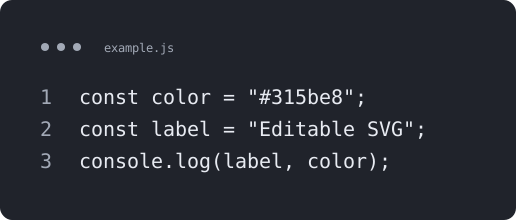
- Parameters used
- Ink theme; 20 px type; 40 px padding; line numbers and window header.
- What this example does not prove
- The SVG contains text and depends on installed fonts; it is not text converted to outlines.
Self-authored test artwork, processed by the product on 2026-11-19. Not customer work or a guarantee for other inputs. View reproducibility record
What this tool does
Turn literal programming code into an SVG code card for documentation, slides or sharing. This is typesetting, not program execution or generative artwork.
Input, output and limits
Up to 120 lines / 180 characters per line / 32 KB. Local rendering; text retains font dependencies and has no syntax highlighting.
Content reviewed: 2026-11-18 · Testing and known limits
How to use this tool
- 1
Choose Code snippet and enter the programming code you want to show as an image.
- 2
For a code card, choose a theme, font size, padding, file label and line numbers. The preview updates locally.
- 3
Download the SVG, copy the markup, or continue to the PNG tool. Save your work before refreshing.
Common questions
- Does Code to SVG make an image of programming code?
- Yes. Code snippet mode lays out your literal source as SVG text with themes and optional line numbers. It does not execute the code or automatically add syntax highlighting.
- Will the SVG code card look identical in every viewer?
- The card uses SVG text, not outlined letters. A viewer needs a matching font to reproduce the appearance. For a fixed pixel image, continue to the PNG export tool.
- Is programming code uploaded to a server?
- Code cards are created in your browser without uploading the program. SVG markup preview also runs locally. No syntax highlighting or font-to-path conversion is promised.
- Does this execute my program or generate artwork from instructions?
- No. It renders literal programming code as an SVG text card without executing it. Text prompts for new artwork belong to the AI generator; existing SVG element edits belong to the editor.
A tool for the next step
Create, refine and export your SVG.
Export
SVG to PNG Converter
Convert an SVG file or pasted SVG code to PNG in your browser. Set exact pixel dimensions and choose transparency or a solid background, then preview and download.
SVG to PDF Converter
Turn SVG into a PDF with page dimensions and margins in millimeters. Preserve supported vector shapes, or choose an explicitly labeled image compatibility mode for text and effects.