
SVG to ICO Converter
Convert SVG to a multi-size ICO for modern favicons and desktop icons. Choose transparent or solid background, preview and download without uploading.
Example: package four icon sizes
One SVG becomes a real ICO containing 16, 32, 48 and 256 px PNG frames. The preview shows its 256 px frame.
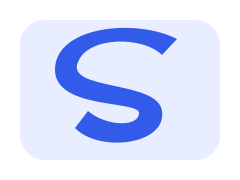

- Parameters used
- Transparent background; 16 / 32 / 48 / 256 px frames.
- What this example does not prove
- This modern PNG-in-ICO format is not a compatibility guarantee for every legacy reader.
Self-authored test artwork, processed by the product on 2026-11-19. Not customer work or a guarantee for other inputs. View reproducibility record
What this tool does
Create a real ICO icon file from SVG. Several square raster sizes can live in one container; this page serves icon delivery rather than generic PNG export.
Input, output and limits
Static SVG up to 512 KB / 2,000 elements → ICO with up to six PNG frames. Free, local and no login; modern ICO readers required.
Content reviewed: 2026-11-18 · Testing and known limits
How to use this tool
- 1
Open an SVG file or paste complete static SVG source.
- 2
Choose one or more icon sizes and a transparent or solid background.
- 3
Convert, review the actual ICO preview and download the file.
Common questions
- Is this an ICO file or a PNG with a different name?
- It writes a real ICO header and directory with PNG image frames. Each selected size has an indexed offset and byte count; the file is not a renamed PNG.
- Which favicon sizes can I include?
- Choose 16, 32, 48, 64, 128 or 256 pixels. Multiple choices go into one ICO. Non-square artwork is centered; crop excess canvas before conversion if needed.
- Will this work with every legacy Windows icon reader?
- This exporter uses PNG-compressed frames for modern ICO readers. Legacy readers that require BMP/DIB frames may not accept it. Test your actual destination; no ICNS or full favicon bundle is generated.
- Does conversion upload my artwork or require registration?
- No. SVG parsing, rasterization and ICO packaging run in the browser without a tool API or AI key. Download the result before closing or refreshing.
A tool for the next step
Create, refine and export your SVG.
Edit
Resize SVG
Set SVG width and height in pixels while preserving editable vector source. Lock the aspect ratio or explicitly stretch the drawing, then download SVG.
Crop SVG
Change the SVG viewBox to trim canvas space. Set the crop window or estimate visible bounds, preview the vector result and download locally.